









UptimeRobot is a great tool for website uptime monitoring which I use on my own and client websites. I’ve been designing and building website for 11 years and using UptimeRobot for most of that time. I find UptimeRobot to be a reliable tool which gives me peace of mind when servicing my client’s websites.
What’s in the free version?
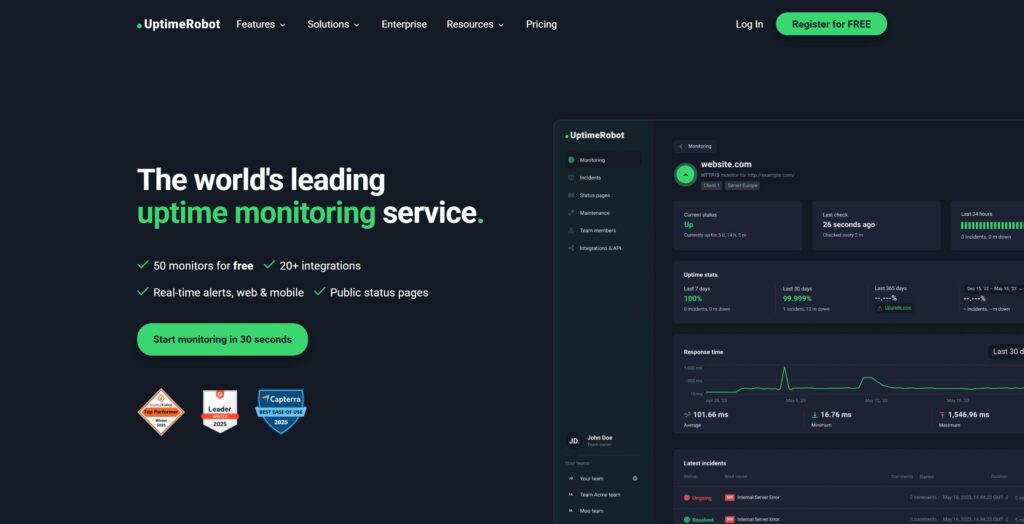
You actually get a long way with the free plan:
- 50 basic website monitors: Which are extremely fast to setup with just a few clicks – finish by checking which types of notifications you would like to receive
- 50 keyword monitors: Which makes it possible to track the presence or absence of any word or phrase on any website
- Monitoring in a 5 minute interval
- A status page: Which we’ll look more into later in this video
- A really good mobile app for Android or IOS: Where you can view your monitors when on the road – although you can’t actually create new monitors using the app which I was quite surprised about
- Notifications: Email, SMS, Voice call and push notifications (But bear in mind you have to pay for SMS and voicecall credits)
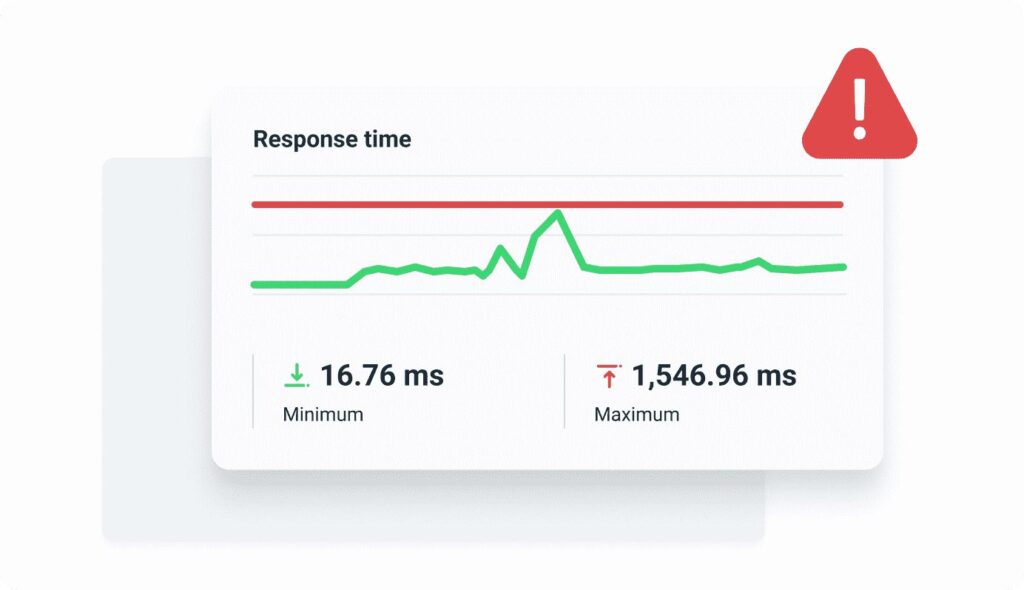
- 5 integrations: Google Chat, Discord, Pushover, Pushbullet and Splunk

Why should you upgrade?
With the cheapest option called Solo which costs €8 a month, you get an extra set of features that enhances your website monitoring. The main reasons you would want to upgrade are:
- That the monitoring interval goes from every 5 minutes down to a one minute interval
- You get location specific monitoring to keep track of the website on different regions (Although be mindful that you only get 4 regions to choose from: North America, Europe, Asia and Australia)
- You get up to 3 status pages instead of 1
- And you also get the really useful “response time monitoring” which I’ll explain more about in a second
Integrations
Since I’m a one man band, I only use push notifications myself, but for larger teams it makes sense to get additional integrations. For the Solo plan those are: Slack, Mattermost, Telegram and Teams. If you need a webhook, Zapier or Pagerduty you need to upgrade to a Team plan.
Response time monitoring
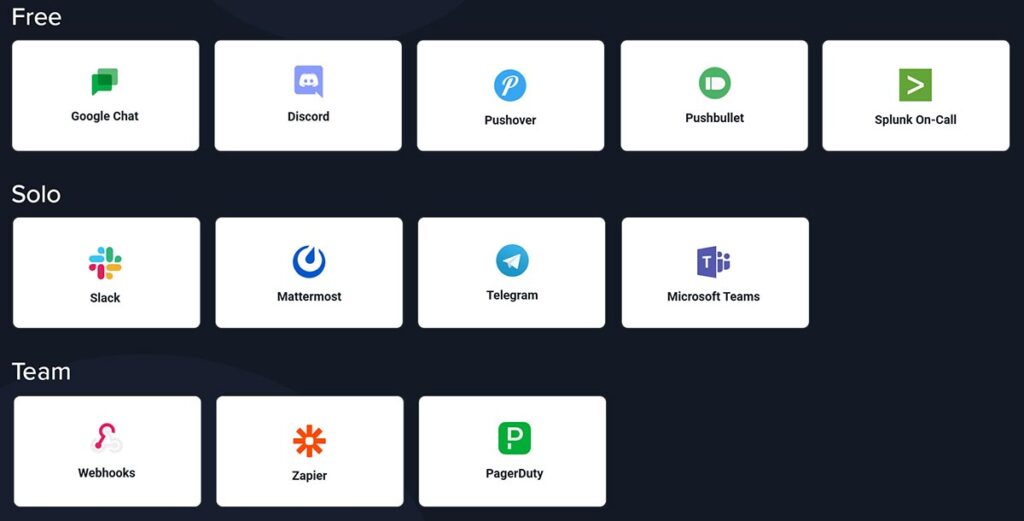
Often a website is having a minor issue without giving a 404 error which means you won’t get a notification with a standard website monitor. This reflects poorly on you when your customers, clients or boss has to contact you about the issue. For that reason, it’s a great idea to setup a response time monitor which notifies you when the website or server performance drops below a certain point.
Start by having a look at you usual response time, adjust the history to get a realistic impression of the usual performance. Then open up advanced settings and choose a higher number, for example 1500ms.
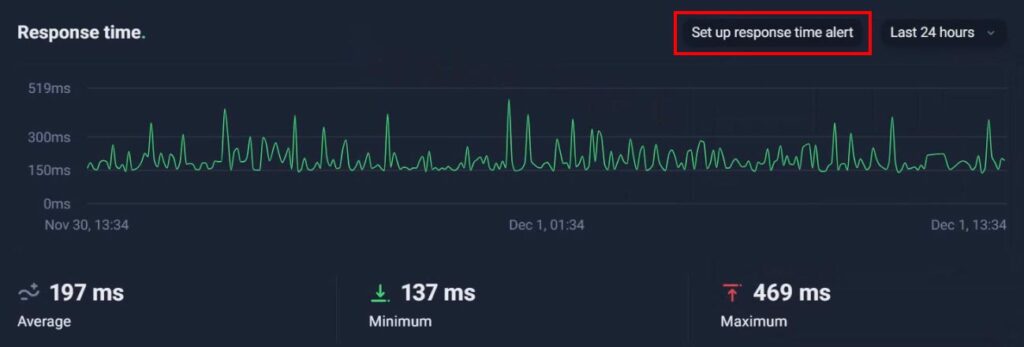
The cool thing is, that it’s not even a separate notification, but simply an additional setting within your regular uptime monitor.
Status pages
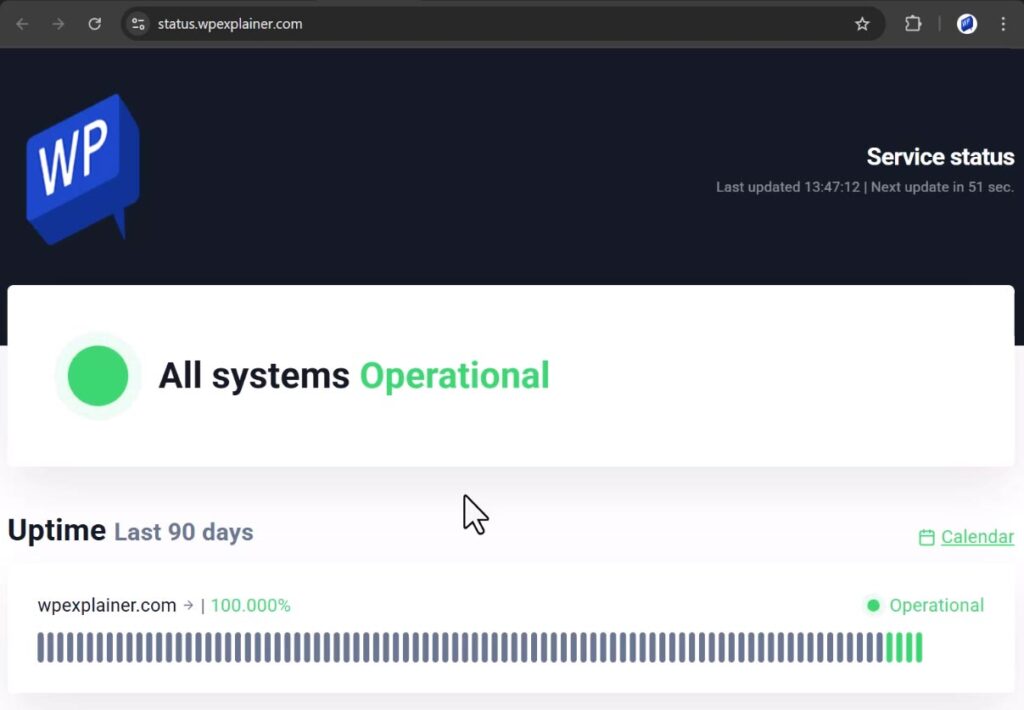
Status pages are a great way to make your work more transparent and give your client or boss peace of mind.
The page also shows the uptime history which underlines your commitment to uptime. When upgrading to “Solo” you get 3 status pages instead of 1 and the option to protect the status page with a password.
Also, you get the possibility to add the status page to your own domain which is a very straightforward proces. Start by creating your status page including adding your logo and adjust the layout settings if needed. Then add a domain name like status dot yourdomain dot com to the settings and finally add a this simple CNAME record to your DNS settings.
Type: CNAME
Name/Host: status.domain.com
Value: stats.uptimerobot.com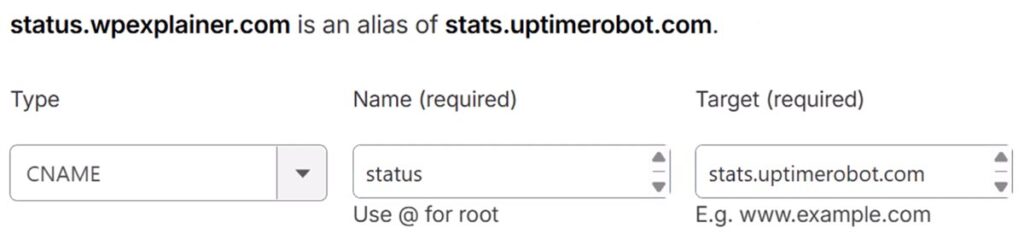
Now you’ve gotten your status page setup on your domain in just a few minutes.
Be mindful that you shouldn’t do what I just did as an example here and setup the status page on the same domain, since it’s likely not to work if the server is actually down.
Other advantages to a paid plan
For the more tech savvy professionals, you get a wider set of tools at your disposal with a paid plan:
- SSL monitoring: Alerts about any certificate related issue including expiration
- DNS monitoring: Alerts for DNS changes and outages
- Domain expiry monitoring
- Heartbeat monitoring: Which monitors recurring background jobs
- Custom headers and statuses: Useful for checking specific errors like for example for 500 internal server errors only
- Maintenance window: Which disables alerts in a specified timeframe
- Root cause details for incidents: Which is very useful for troubleshooting
- Notify-only seats: To send notifications directly to the right person without giving administrator access
- Extra login seats
- Longer data retention
Verdict
UptimeRobot is a must-have for any serious website developer, IT professional, online marketeer, server manager or business owner.
You get a long way with a free plan and it covers most use-cases when upgrading to the extra paid features.
So I hope this gives you a realistic impression of UptimeRobot. This is it for this video, if you liked it please give it a thumbs up, if you loved it feel free to subscribe for more content like this.
Disclaimer: You can help support content creation. If you click some of my links, WP Explainer may get a compensation. I only partner with companies and products that I’d happily recommend to my audience.

Related tutorials

WP Rocket tutorial – WordPress cache plugin for speed optimization
In this tutorial you will learn to setup WP Rocket the best WordPress caching plugin for speed optimization

Mailgun tutorial for beginners
Learn to setup the reliable email delivery service Mailgun with two techniques: API key and SMTP

Free WordPress Cookie Plugin – CookieYes Tutorial
In this tutorial you will learn to install and setup the FREE WordPress cookie plugin: CookieYes

Webtoffee GDPR Cookie Consent tutorial
In this tutorial you will learn to install and setup the best cookie consent plugin for WordPress: Webtoffee Cookie Consent

Polylang tutorial – Time efficient setup
In this tutorial you will learn how to quickly setup a multilanguage website using the free Polylang plugin.

The 4 step checklist for changing your WordPress website
Using these 4 steps to make changes to your WordPress website, will save valuable time.